BloxNG Update 1: New Map & Airbags
Scout the new layout, learn airbag moments, and keep soft-body crumples looking sharp.
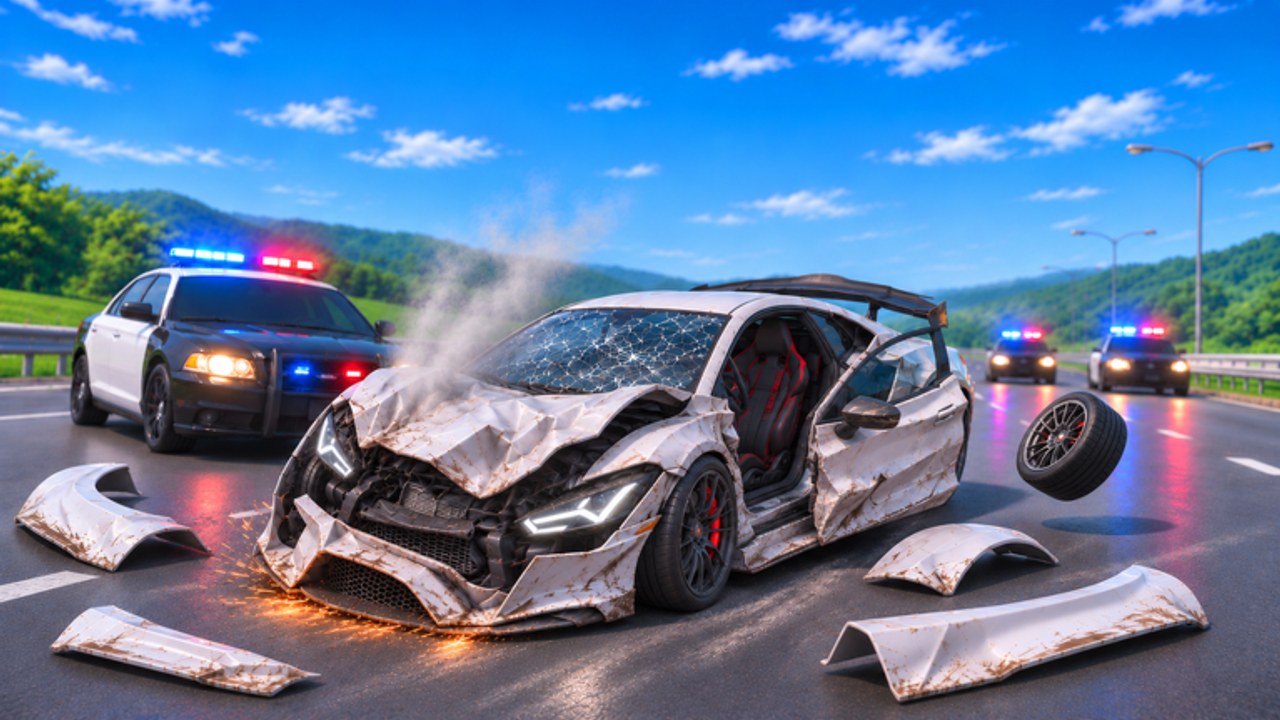
Update 1: New Map, Airbags & More! is a landmark drop for BloxNG while the experience remains in beta. Deform Dynamics expands the playground and adds restraint-system spectacle without abandoning the soft-body promise: metal still crumples at the impact point, wheels can snap, doors hang, and glass shatters under the usual speed, angle, and weight rules. This guide helps you explore the new map efficiently, understand what airbags change about crash storytelling, and link Update 1 content to the rest of the wiki.
For patch framing and video context, also read Update 1 notes. Broader event timing - including the Mystery Update window (Nov 13-20 2026, 12:00 PM ET) - lives on the Updates Hub. Newcomers should still start with Getting Started.
What Update 1 emphasizes
Community-facing copy highlights three pillars:
- New map - fresh asphalt, props, sightlines, and elevation for novel crash lines.
- Airbags - frontal (and related) impact moments that add deployment flair alongside deformation.
- More - additional beta polish, toys, or systems that may appear in notes after you launch.
Because builds iterate, verify each bullet in-game the day you play. Wiki strategy focuses on durable habits: scout, test, document, then farm.
Scouting the new map (first 20 minutes)
- Spawn and breathe. Do a no-crash lap to learn major roads and landmarks.
- Mark crumple candidates. Flat walls, poles, barriers, ramps, and drop-offs that invite clean angles.
- Note traffic flow. With servers capped at 10, busy corridors need shared etiquette (Players).
- Camera checkpoints. Find overlooks where friends can film your soft-body hits.
- Compare to old routes. If legacy props remain, decide which earn better readable damage for Earn Cash goals.
- Platform pass. Desktop precision helps catalog angles; mobile/tablet/console players should re-check touch or stick feel on new cambers (Controls).
Bring the Impact Checklist on your second visit once landmarks stick.
Airbags: what they change (and what they do not)
Airbags add a new visual and pacing layer to crashes, especially frontal stories. Expect deployment moments that make moderate hits feel cinematic. They do not replace soft-body rules:
- Metal still folds at contact points.
- Wheels, doors, glass, engines, tyres, and small parts can still fail.
- Speed, angle, and weight still govern severity.
How to practice with airbags
- Stage a medium-speed frontal into a flat wall and watch deployment timing relative to crumple.
- Repeat at a slightly oblique angle to see whether bags and asymmetric folds tell a combined story.
- Film from the quarter view so both bag and metal read on camera.
- After a bag deploys, decide whether to continue a multi-stage wreck or reset for a clean second take.
If airbag prompts or toggles appear in settings, re-open that menu after patches - beta UI drifts.
Crash lines worth trying on a new map
Gateway wall textbook. Flat, wide surface near a main entry - perfect for teaching friends soft-body basics from Crash Physics.
Pole offset alley. Thin vertical props for localized crush and possible wheel stress.
Elevation dump. Ramps or hills that change weight transfer mid-air before landing crumples.
Barrier swipe corridor. Long rails for glancing deformation and glass ticks without instant totals.
Airbag demo pad. A safe frontal zone with space for spectators in the 10-player lobby.
Rotate these lines so one hotspot does not become an impassable junkyard.
Progression tips after Update 1
- Reinvest early cash into a vehicle that handles the new elevation comfortably.
- Keep a practice buffer before buying pure novelty cars.
- Use airbag-friendly frontals as clip bait that still earns toward unlocks.
- Track whether Mystery Update content stacks on top of Update 1 during overlapping calendar windows.
- Share scout notes on Discord so the community maps props faster.
Approximate audience context (~2.4M visits, ~10k favorites, high CCU, ~93% likes) means popular landmarks will fill quickly - hop servers when a favorite pole is overcrowded.
Troubleshooting Update 1 sessions
- Lost after loading: do a landmark lap before any stunt.
- Airbags not visible: confirm you staged a qualifying frontal and that your camera faces the cabin/nose; check patch notes if a toggle exists.
- Physics feel different: beta tuning happens - compare with prior clips before assuming a bug.
- UI moved: expected; rebind attention to inputs, not icon locations.
- Want official sources: use Official Links for the Roblox experience and Discord invite.
Suggested session plan
- Scout lap (5-10 min).
- Three textbook frontals with airbag watch (10 min).
- Offset and swipe drills on new props (10 min).
- One multi-stage wreck for a clip (5 min).
- Bank rewards and jot unlock priorities (5 min).
- Optional Discord share + read Updates Hub for hotfixes.
Related guides
- Guides Hub - all tutorials.
- Earn Cash - turn map knowledge into progression.
- Crash Physics - deformation fundamentals that still apply.
- Update 1 - patch-focused write-up with video when available.
Explore boldly, crumple precisely, and let airbags punctuate - not replace - the soft-body show.
Frequently Asked Questions
Quick answers for BloxNG crash physics, codes, scripts, and updates.
What is included in BloxNG Update 1?
The featured pitch is a new map, airbags, and more. Confirm exact props and systems in-game after you update, since the experience is still in beta.
Do airbags remove soft-body damage?
No. Airbags add deployment spectacle while metal crumple, wheel snap, door hang, and glass shatter still follow speed, angle, and weight.
How should I learn the new map?
Take a no-crash scout lap, mark crumple props, note busy lanes in 10-player servers, then run controlled drills before farming.
Where are full Update 1 patch notes?
Start with the Update 1 page under Updates, then verify details on Discord and the official Roblox experience description.
Does Mystery Update replace the new map?
Mystery Update is a separate teased event window. It may add more content on top of Update 1 - watch the Updates Hub for confirmation.